Monday, August 25, 2008

Shifting gears

I just got back from two beautiful weeks of vacation and returned to a fairly full inbox and about 300 unread museum blog and museum-related blog feeds. In my mailbox at work was the summer issue of History News, the magazine of the American Association of State and Local History. And in the magazine, in the History Bytes column (get it? it's for web issues!), is the recent dilemma "To Blog or Not to Blog." Blog awareness has been here for sometime. I feel like I was able to produce my thesis at a point just as the blog wave was breaking on the museum shore, which is fortunate timing for a work like I produced. A thesis on blogging today would likely take a very different form, as there would be a great deal more material to work with, and a greater amount of material published on the subject.

But I am not writing a thesis anymore, so my devotion and fervor about blogging is beginning to fade. Don't get me wrong, I still think blogs are great, and really love when institutions speak with a personal voice and take you behind the scenes. I continue to hope that my museum's blog (which I write, not as often as I should) would be one I'd like to read.

No matter how this sounds, it is no eulogy. This was meant to be official notice that I am shifting gears on this blog. I'm widening up the focus. This has been happening for a while, but I'd not acknowledged it. For the time being, I am going to post as the mood strikes me and see what develops.

Read More...

Friday, August 01, 2008

Tag!

The Brooklyn Museum just launched online collections and has a tagging game you can play!

The idea is vaguely familiar... hmm....

The game is not as exciting and addicting as the Google Image Labeler which I played compulsively for a couple days back when it was launched. But the thank you video was definitely worth the registration, even if I only tagged 2 objects with 10 tags. I also appreciated the registration form telling me that my username was awesome (which, I assume, is not a judgment on how excellent I am, but that my username is unique). I will be looking forward to seeing how this works for the Brooklyn Museum.

A nice bonus of the tagging game is that it requires you to take a closer look at the art than you might otherwise, like this neat-o necklace that I tagged.

And I may even return to play again.

Read More...

Wednesday, July 23, 2008

Heads up

Dear Miss Griffis, the museum blog which posts letters written from a WWI doctor written to a woman who, over the course of the letters, becomes his wife, has reached the end of WWI! The letters are now dated after the Armistice and it is very interesting reading.

Read More...

Tuesday, May 13, 2008

Digital Museum Webinar: Emerging Trends in Technology

Pre-webinar thoughts: I am pretty excited for this final installment of the webinar. I hope to hear about new approaches which are cheap to do and easy to access/implement. Even if they're not, it's good to hear from folks on the cutting edge. I'm hoping not to hear too much about Second Life, as I think anyone with a background reading this blog will recall that I am not a believer in the potential of SL as a widely effective tool. And this time I remembered to bring my big headphones! Hooray!

Post-webinar thoughts: Overall this has been a good experience. I'm grateful to have had the opportunity to participate in this through the EMP fellowship.

I was a little let down by today's session, but only because I am, apparently, much more aware of emerging technologies for museums than most. As such, my notes get a little loopy. What I would have loved to hear more about is what's around the corner. Is it geotagging? Geocaching? Really, it's probably all about anything you can do with a cell phone, and you can do just about anything with those (unless you're rocking the Nokia 1100 like I am). I heard a lot about what I already know about, but I suppose I should have expected that. Learned a little more about the Brooklyn Museum's Click which sounds awesome, and a little more about open content, which is all over but not getting recognized enough and exploited perhaps.

Definitely an interesting experience overall, and it's very cool to be able to hear from/interact with national speakers from the comfort of your own office chair (or discomfort if you happen to be sitting in an office chair older than you are, like I am).


Mod: Phyllis Hecht, Assoc Program chair, Museum Studies, John Hopkins.
Topics: Social networking, user generated content, open source

Social Networking: Larry Swiader (holocaust museum), Michael Jenkins
Leveraging existing conversations. Defines social networking. This is old hat, I yawn. But I guess I'm not your average attendee, what with this blog and all.

Purposes: Breaking down barriers and stuff. Holocaust museum has a facebook site to introduce staff to students and energize genocide prevention program. H&M also has social network to increase brand awareness.

Presenter debate: Where does YouTube fall? Social networking or user gen. content? Both!

OpenSocial for apis. iGoogle widgets. - I would not have holocaust widgets in my igoogle page, my igoogle page is for happy things. But, it does distribute content, message, okay. Widgets have potential, I can see that. Larry says they must be overtly branded to attract visitors who may be transient.

Potential pitfalls: brand consistency (depends on your institution I think), total transparency (yes), measurement (yep, this is hard).

Larry responds to comment deletion. They do it, but limit it to patently offensive stuff - leave controversial to stimulate conversation, hope that community will be self regulating.

Michael (from the Met) takes over: now shows us ArtShare. Developed by the lovely and extremely talented Shelley Bernstein of the Brooklyn Museum, then opened it up to other museums

User-generated content: Matt MacArthur (NMAH), Michael Jenkins
Recent explosion of tools to create and promote this sort of thing. Matt explains Web 2.0 to us.

Why invite this? Connections with interests, experience, with each other. Museum facilitation leads to better visitor experience.

What are some ways this has been done? Tagging/folksonomy (powerhouse). Inviting user comments. Discussion/chat (ScienceBuzz). Blogs (walker). "Build your own gallery/collection" (art gallery of ontario). Mix in user-created material. Building around user contributed material (museum of london). Dude sounds tired, no excitement coming through. Or is it just me?

Challenges: Unexpected results (what, no comments? If I build it, will they not come?). perceived risks and challenges to authority (it's the FEAR!!!). time.

Michael: History of user generated content. 2005 ArtMobs. MOMA responded, the MET responded, restored authority but in a different way, and it works okay. MOMA podcasts rate above SmartMobs podcasts. SmartMobs has no recent updates - demonstrates issues of sustainability.

Today: Brooklyn Museum's Click. Crowd curation. Shelley rocks us all again. Sounds just totally awesome. Maybe I should participate. Let's put the curators out of work!

Open Source Software
: Robert Stein, IMA
software with code made public which allows users to use/modify/adapt software.

Museums have specific set of complex needs in software and NO MONEY. Examples: Pachyderm. Museums don't depend on competing with peers, almost the opposite. Museums software industry not lucrative. Museums use software designed for other sectors, often, and pay $$$$ for integration software. Therefore OpenSource stuff has lots of potential for us. Pooling of resources will lead to better software.

To succeed: Create standards for rep. of data, for specs of functionality. Example: Open Collection. Need commitments from museums to get software companies to support this. Encouraging vendors to work with this/support this. Bonuses: OSS needs tech and non-tech to come together and produce a beautiful baby software. Example: Steve project.

Open Content: Susan Chun (consultant)
Creative work, under copyright. Broadly accessible and freely distributed. Terms define restrictions. Okay, so we're talking more or less about Creative Commons, I think. Leads to low cost automated distribution. I think this is a good thing. But I can imagine the FEAR that's out there. Types of content: images, texts, audio, video. Philosophical/policy questions and tactical questions should be asked. Pros and cons.

iTunesU, Flickr's Commons, providing teachers resources.

Wrap up discussions:
Is there a magic bullet to make the audience respond? Nope, none, that we seem to know.

Greg Stevens from AAM makes some closing remarks: asks for topics for future webinars. Thanks us all.

Read More...

Thursday, April 10, 2008

More job hunting advice

But not from me this time. This blog post by Meredith Farkas talks about finding a library job, but has good sensible advice.

Read More...

Thursday, April 03, 2008

How to get a job in museums. Part 2: Applying and Interviewing

So the last post was more about preparing to be a candidate for a museum job. Let's get down to brass tacks; applying, interviewing, and getting yourself a nice cushy museum job. There may be some redundancy with Part 1, but if there is, then it bears repeating.

1. Apply. Apply early and often. Apply for jobs at the edge of your comfort zone; this is a competitive field and more applications=more possible jobs. I have a good friend who applied for a position that she was at the very edge of her comfort zone, was offered the job, and is now learning a great deal in the position. What I'm trying to tell you is that the risk can be worth it.

2. Customize your cover letters. You should know this by now. Even if you have some template paragraphs, be very careful when you create new letters: please remember to name the correct museum in your letter. If you don't and discover it later, you will be mortified. And, again, get people to look over your letter and help you refine it.

3. Wait patiently and apply for even more positions.

Interviewing:

4. If you're interviewing for a job across the country or for a job down the hall, chances are you're going to have a phone interview at one point or another. I believe that I had about 6 phone interviews (I had one literally at the other end of the country, and one from the third floor while I was one the first), so I will relate my technique for feeling confident on the phone.

- Dress nicely. Yes, I know this feels silly, especially if you are interviewing at home, but I felt so much more put together and ready to interview when I was dressed nicely, and especially when I was wearing professional shoes. Your mileage may vary.

- Have your materials at hand. I had a copy of my resume, a copy of the job listing, a sheet of paper with my notes and questions on it, and a blank sheet of paper to take notes on in front of me when I had phone interviews at home. Also, have a glass of water in front of you, in case you need it.

- Smile. A smile comes through in your voice. Again, it seems hokey, but I think it really makes a difference. Plus, smiling releases endorphins in the brain to make you happy!

- Take your time. I rush like a banshee in interviews and it's a problem of mine which leads to giving less than concrete examples when answering questions. So take your time - if you need a moment to think, tell your interviewer that you need to think for a moment. It's acceptable to take a short moment to formulate a response (although, again, I stress that I am not an HR person nor do I play one on teevee).

- Listen for cues. Good phone interviewers will make little noises to show that they are listening. My worst phone interview was with someone who made no little noises at all, which gave me no cues to play off of. Of course, since you're on the phone, this is can be difficult, therefore, your mileage may vary.

- Thank the interviewer. Follow up with a thank you note or email. I tend toward email, but a paper note probably makes a better impression.

5. Interviewing in person. Same as interviewing on the phone, but without all the paper spread out in front of you. I can speak less to this portion as I only had a couple of in-person interviews, but there's a lot of good information out there.

6. Be prepared. Know about the institution you are applying for. Check out the 990s of the institution on GuideStar.org. Get nosy. This is a place you may become intimately familiar with.

7. Be prepared. No matter which interview format you have, there are going to be certain questions. What attracted you to this position? What are your strengths? Weaknesses? When responding to the weaknesses question, spin it in a positive light; "I would say my greatest weakness is my confidence when speaking in public, but I've been learning techniques to improve my technique." Or something like that. Show your assets (desire to improve) when discussing your liabilities.

8. Thank them. I said this before, but I'll say it again. Thank your interviewer. Send a thank you email. Send a thank you note. Keep your name in their mind.

9. Follow up calls. Now, I will admit that not once did I call to follow up on an interviewer. But I've since decided that calling to follow up is like the secret test of interviewing that no one tells you about, eveer. So, if a place tells you they will get back to you by X date, and you don't hear from them, call them the following business day to check in.

Waiting, part 2.

10. Wait patiently (with the exception of polite follow-up calls). In this day and age, many museums lack the staff to tell you that you didn't get the job. This will frustrate you, perhaps even infuriate you, but this is the way it is. You may get an email rejection, you may get a letter of rejection if you interviewed, but very possibly not. Find a coping mechanism and keep applying for more jobs. If they do want to offer you a job, you will hear from them.

And that's as much insight as I am prepared to give. There is a lot of information out there about negotiating salary, benefits, etc, but I don't feel I have any depth of knowledge in these areas, save for two nuggets of information:
1. Look at the low end of the salary range, not the high one. And the salary may be non-negotiable.
2. In lieu of salary negotiating, negotiate about fringe benefits - vacation time, flexible scheduling, etc. Museums may have more ability to bend on these points than on that sticky fiscal point.

Coming up sometime: Part 3, or How I Got the Museum Job I Wanted

Read More...

Three recommendations

No, it's not deja vu - I just posted this over at ye olde collections blog and it fits here too.

--------------------------------------------
Do you like reading this blog? Wanna find some more museum-y type blogs to read? Here's a couple that I'm really digging right now:

Curator's Corner. From the Wm. McKinley Presidential Library & Museum written by Curator Kim Kenney. Very chatty and a great look into the variety of projects Ms. Kenney is involved in.

The Bowers Museum Collection Blog. Profiles one object each week with really excellent information and great photos. Very interesting stuff.

Smithsonian's Office of Exhibits Central. A really remarkable look behind the scenes of how exhibits are built. Posting can be erratic, but worth adding to your feed reader when they do post.
-----------------------------

I love the blogs that give you a glimpse of something different, something unusual. I'm especially impressed by Office of Exhibits Central and wish they would post more.

Read More...

Tuesday, April 01, 2008

AAM Digital Museum Webinar 3: Online Learning and Education

Really looking forward to this webinar. Should be interesting. I forgot my giant over-the-ear headphones at home, so will be using my earbuds.

Yeouch! My earbuds apparently have some kind of higher preset volume than the other headphones. Am frantically messing with volume settings. No luck.

After notes: I like these sessions, but it begins to feel very frantic when I'm trying to listen, read a slide, a chat box, and liveblog it. I wouldn't take anything away, but it's a lot of multitasking at one time. My brain is full.

Notes below the jump


NOTES:
Question 1: How is online learning implemented by museums?
Deb Howes, MOMA: Both museums and the internet focus on Information and Visitors. The internet, however, attracts a more diverse audience than museums can hope to manage. about 50% of participants have twice as many web visitors than museum visitors (but what def. are they using for web visitor?). Web offers formal and informal learning opportunities. Formal roughly equates to passive: reading, viewing, etc. Informal learning roughly equates to active: searching for info? Not sure about this assertion. blog.mode: addressing Fashion.

Victoria and Allegra: Teens as an audience. Do you offer teen programming? Well, not unless you count interns under 20, but that's hardly what they're asking. Hey now! Teens are using the intarwebs, so museums are working with that to get the teens involved. Museum teen sites? Or do we mean teen pages? Walker site has a business side and a play side (the mullet model of websites!)

David Schaller: Games v Game like activities. What is a game? engagement, conflict, rules and outcome. 2 kinds of games: Intrinsic (game play leads to information (fish ecosystem game) game play has constraints of environment (Colonial Williamsburg). Mold gameplay around content. Content centric) and Extrinsic (tic tac toe, memory. Game play not effected by extras (squid instead of Os)) content. Intrinsic is probably a more powerful gameplay experience.

Question/comments: How much of a role does Ed. Dept play in website? MOMA had much involvement. Do teens actually use these specialized sites independently or are directed by teachers? Mix of both. Site marketed to teachers. Teens stumble upon site outside of school at least somewhat.

Question 2: Which online learning environments work for which Audiences?
Allegra and Victoria: MOMA. How teens use the internet. as of 1/2007 55% of 12-17 yos use social network site. 64% create content (12/2007). Girls post more networking and photos; boys more likely to do videos. Teen friendly outreach content, social networking. Science Buzz offers model for online community exchange. Also RedShift Now. Online Video: on MoMA's site, on YouTube. Expansion beyond one site makes it easier for individuals searching for specific content from non-specific sites. Red Studio teen podcast most popular download from MoMA.

Susan Edwards: Getty trust. Who plays digital games? Demographics. Avg age: 33, 1/4 over 50. 38% are women. 81% of teens play computer games. Lifestyle: over half of parents think games are positive. 93% read books/newspapers regularly. 62% attend cultural events, 50% do creative activities.

David: Who play extrinsic content games? has low/no learning curve, low time commitment. Games can introduce collections/promote institution. Who plays intrinsic games? more involved, immersive, meaningful actions, problem solving, can assume new roles/identities, safe environment for exploring/risk-taking. Allow for recreation of rules of nature/society in a contextualized world. More than kids play these games.

Deb: Which online approach works for adults? Asynchronous occurs without a teacher (websurfing). Make sure that your content is well tagged, accessible, and easy to find much information - similar things, but well organized. Synchronous=a class with teachers/learners. Can do in a collab. space/virtual worlds/IM. Simulcasting type things. Combination can be effective, like in a teacher workshop. plan, use high quality, respond to user needs.

Questions/comments: How can you show that your tools/games/experiences help learning? It's hard to evaluate online. could incorporate into game through levels. or just use return stats to indicate success.

Question 3: What are good strategies for beginning and sustaining online learning in museums?

Allegra and Victoria: Teen project, consider the following: Audience, objects, scale, branding/marketing. Teens are attracted to authenticity: No phonies! Resources and scale: free-blogs, wikis, myspace/facebook, youtube, but has costs in terms of staffing, production, and marketing. Build in evaluation.

Susan: Keeping the Games Alive: Maintenance and scalability. Goals/budget/promotion step. Attracting and sustaining learning. scaffolding - keep content fresh, provide opportunities. "Whyville" like 2nd life for kids. Partner to develop. Foster online community: boards, blogs, polls leads to promotion/engagement and feedback in one.

Deb: How to get started and sustain the momentum? Know your free tools! (cough*google*cough). Add online components to existing programs. Keep it going through partnered outreach. Have on-site support. Create lifelong museum learning continuum.

Q&A mode: Oh noes! Can we trust the teens? Moderated posting.
Trying to recreate the physical space is not the greatest method - online is different anyway even in 2nd life. Intrinsic experiences cost a TON $150-400,000. Jeepers. Who funds online learning? Getty has a grant.

Read More...

Friday, March 14, 2008

How to get a job in museums. Part 1: Preparation and Application

It's spring of the year, just about the time antsy students are getting ready to graduate and track down that first big museum job.

Last year, at this time, I was searching for a job. So I've been there. I feel your pain, really I do. So, I've decided to offer up my thoughts, opinions, and rants on the subject, seeing as I have successfully secured a position very nearly matching my ideal position in the field. Please be advised: I am not an expert and have never worked in Human Resources. There's your grain of salt.

Let's do this by numbers, shall we?

1. Get a degree, and get the right one for what you want to do. Almost no positions require no degree at all. Graduate high school. Then go to college. Major in what you want (I'm anthropology and english lit), but take museum classes if you can. Then go to graduate school. Get a Master's degree in Museum Studies, or Museology. If you want to be a curator, get your Ph.D., because you'll need it to be a curator at any of the larger institutions.

2. Remember that a degree is not a magical pass to get a museum job. Especially remember this if you're a Master's student, because that extra $40,000 you just dropped for the degree will be helpful, but it won't show return on investment immediately... or any time soon likely.

3. Get experience. Do museum internships as an undergrad, do them as a grad student. If you can, get an entry level job, especially if there's a museum associated with your program. Try to work in a museum for one or two years. Get experience in a variety of museum areas. Museum work is not one size fits all. Development people are different from collections managers are different from educators. Do as much as you can in museums before you need to launch yourself out into the museum job hunt.

4. Make connections. Get to know the people you work for, work with, intern for, intern with. In the museum field, personal connections are gold. Get to know people locally. If you can afford it, go to national conferences. If you can't, try getting to the local conferences.

5. Learn to write. And have as many people look at your resume as you can. When you're applying for jobs, the cover letter is your real chance to present yourself, not just your accomplishments, but also your ability to communicate. The museum field does not have a lot of money; you are going to have to write grants/be involved in writing grants at some point. It behooves you to polish your style early and often. And work on your long resume - polish the format, the wording, everything so that it's ready to customize easily and quickly.

6. Find all the job resources you can. Check out all the national and regional association website. Bookmark them. Join the Yahoo! group Musejobs. Check them. Check them regularly.

7a. Be flexible. This is key. If you can move, your job search is likely to be less frustrating. Consider living places you'd never lived before. Define your geographical limits.

7b. Be flexible. This is key. Most museum jobs do not perform a single function. Many museums are very small and you will be wearing many hats. If you want to be a collections manager, think about being a registrar, an assistant director, a curator for a small museum. Consider all options, don't be set on a job title. At the same time, identify what you would most like to do and what environment you would like to do it in: Big or small museum? History, art, science, children's? East coast, West coast, the South? Lots of responsibility or lots of supervision?

7c. Be realistic. This is key. Work out your budget. What can you live on? If no one has told you yet, museum work is usually not going to make you rich. What will you be happy doing? Are you willing to work in the pest management department or will you refuse? And remember, please remember, that this a a field that many people want to work in, many people are qualified for, and in which there are relatively few open positions.

Basic rule of museum job hunting: There are more job openings for development people and educators. If you want to get a job more easily in the museum field, don't be an objects person. Also, development seems to get paid more.

8. Apply early, apply often. Once you're in the job search, apply broadly. Keep a close watch on those resources you identified and send out your application as soon as you can. Being on top of the game may earn you points. Doesn't hurt at the very least.

9. Wait. Wait as patiently as you can. (See rant below.) Apply for more jobs.

9.1 Don't complain on museum listservs. Seriously. I enjoy the inevitable drama, but please don't. For one thing, you're usually using your real name and establishing a persona as someone who feels entitled and may be a whiner. If you need to complain/ask for advice (I feel that most, not all but most, job seekers on museum listservs asking for advice are only thinly veiling their whining), do it privately. Search the archives of the listservs - see if your issues haven't already been addressed. Otherwise I'm just going to roll my eyes and wonder if you realize that potential employers may be reading that list and your name may turn up attached to the posting on a search.

10. Be aware of your net presence. What happens when you google your name? How does that look to a potential employer? It is your Bedazzled myspace profile, or is it a museum newsletter commending your volunteer work? Increasingly, these things matter.

Part 2 coming soon: Responses and interviews.

Read More...

Tuesday, March 11, 2008

AAM Digital Museum Webinar 2: Technology and Museum Visitor Experiences

Pre-webinar: So I'm waiting on the start of the second in a series of AAM webinars about The Digital Museum. I worked with Learning Times tech support, so with luck I will not be holding the phone to my ear with my shoulder, but will have the opportunity to use my shiny shiny headphones instead. Below the jump will be my notes, in the understandable only to me, maybe, format that I favor.

Woo, they're talking and I can hear them! And there's a poll and I can see the results as they come in. Way cool!


Peter Samis - SFMOMA
- Frameworks of meanings - contextualization, webs of relationships
- Anchors in experience, velcro vs. teflon. Low v. high context environments: continuum.

Scott Sayre - Ways to Restore context
Audio Tours in Transition: Cell Phones
-Audio tours have an evolving history as technology evolves. mp3 and cell phone tours are the thing now.
- Cell phone as unifying device. Cell phone eliminates peripheral costs of hardware
- Cell phone tours easily move outside of the museum *can link museum to community with a minimum of cost*
- GPS and geotagging. Yes. yes yes yes. This is good for us since this is a rural, environmentally oriented community. Way to connect objects to museum, and to connect the landscape to the museum. Integration of landscape and technology. YES YES YES.

Robin Dowden, Walker Art Center: Audio Tours in Transitions: Multimedia tours.
- Frida Kahlo multimedia handheld guide.
- additional cost, but used by 12% of visitors.
- sounded really cool, really interesting, would like to take that tour.

Peter Samis: add axis to continuum - personal mobile (like the above two) to social embedded. SFMOMA "smart tables" just above phone tours. It's a step above wall text - conveys interest and passion more than words on the wall at an eighth grade reading level.
- Learning lounges which are focussed info points and provide place for interaction
- most people use wall text, but it is the least helpful source of info (audio tours being best)
- More interpretive sources used= more art appreciation

Robin Dowden: Embedded social spaces: Case study: Dialog table
- sociable computing. Gesture recognition of picking, grabbing and dropping. AWESOME. Not really useful for us, but dude. We are living in the future. Where's my jetpack?
- Case study: Dolphin Oracle II: dolphin responds, expands vocabulary.
- these things exist within the range of possible experiences.

Mike Mouw and Dan Spock: Minnesota Historical Society.
-increasing social aspects of the museum visit, enhancing the social experience
- game in the MN150 gallery: quiz show type thing with points. How fun!
- Open house exhibit: modern style lantern slide with rfid tags. Cabinet exploration. Stories in plates on the table. Wow. These are so cool.
- Immersive experiences enhance the entire museum visit

General Q&A:
-Designing for the experience and allowing the technology to fade into the background (MHS). How to create connections to the narrative arc?
- open discussion box breaks down into question central.
- cell phone coverage issue?
- MHS finds that everyone loves the game. All ages.
- familiarity with technology is the leading factor


post-webinar throughts: Whew. The experience is a great deal more pleasant with head phones. The projects profiled by the presenters are all very exciting. But they all appear very costly and I am keeping in mind solutions for my very small institution which has a disproportionately small budget. The idea of geotagging collections was mentioned, and the idea of using cell phone tours to lead tours to places (historic buildings). These two seem to have the most potential here - we have a relatively small community and a large outlying area with a focus on agriculture. Also, our exhibit space will be very small. But working out a way to integrate content into the community at large, via cell phone use, has a lot of potential.

Read More...

Friday, March 07, 2008

The Internet KILLS Museums!

Err, actually, it's the opposite of that.

A study came out just recently that showed visits to museum websites correlate positively with in-person visits to museums.

http://interconnectionsreport.org/

I've only looked at the conclusions Powerpoint, but this looks like a powerful argument in the face of Internet Fear. If visitors use the internet, they're more likely visit a museum. How cool is that? In a time when people spend all day looking at screens, it seems reasonable that they might then wish to see real things in 3D for part of the time when they don't have to look at screens (this is me blathering, and not from the report. All wild conjecture here.).

And, dang, I wish this report had been available when I was writing my thesis. It looks like it's full of good stuff.

Read More...

Tuesday, February 12, 2008

Digital Museum Webinar: Planning for Technology

When I heard about this webinar I was excited. Then disappointed. As someone fresh out of grad school, I don't have a lot of disposable income to put toward professional development, even very reasonably priced professional development. But, hark!, AAM's EMP (that's Emerging Museum Professionals, not electro-magnetic pulse or Experience Music Project) was offering a limited number of fellowships to EMPs. So I applied for one and was lucky enough to be selected. I just finished with the first Webinar, and it was pretty neat. Plus I received a copy of The Digital Museum: A Think Guide for being a participant.

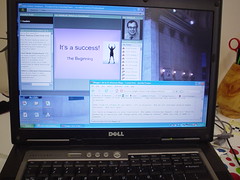
webinar 009
I am taking webinar notes directly into Blogger. Keeps me focussed!

First of all, the technology issues: What's an online seminar about technology with technology issues? I assume these were all on my end. I couldn't get the audio to work. I'd run the tech check last week and it showed up fine, but it was frustrating to catch the first few words of something and then it would drop for an uncertain amount of time. Luckily, there was also a call-in number. I had to dial it about 5 times before I got through (busy signal) so I bet I wasn't the only one with this issue.
webinar 005
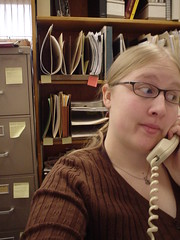
I've gotten through! And am making funny faces! Also, please to note my complex system of post-its.

And then I had troubles with Adobe Connect Professional, particularly with the polls the presenters could do: they didn't come up fast enough for me to participate in, alas. I imagine this has to do with my internet connection, even though my pre-webinar tech-check gave me the thumbs up. Heavy sigh.

Now that I've got the tech-whining out of my system, let me just say it was great. I really enjoyed this webinar. I don't have the resources to make it to MW2008, and this felt like a little piece of that: People who get technology talking about technology.

Two of the presenters talked about planning. One, Len Steinbach, focussed on Return on Investment Analysis. Angela Spinazze focussed on more general planning for technology. I enjoyed these presentations, because one of the things they focussed on was one of my harping points: know why you want to do things before you do them! Angela also brought up that it's okay not to implement technology. Yes. Not everything is for everyone.

The third presenter, Holley Witchey, spoke on morals and ethics - the little issues that we don't like to talk about because we tend to transgress them on occasion - as they relate to museum technology. All the presenters brought forth great ideas and gave the participants a lot to think about. I found it invigorating to be part of such interest about technology. I'm definitely looking forward to the rest of the sessions.

You can still register for the three upcoming sessions. I've put my (unintelligible) notes below the jump, for those interested.


Len Steinbach: Return on Investment

- Be sure to consider the direct costs, the indirect costs. How will you maintain your project? What is your perceived benefit? Take everything into account in your planning. This is return on investment analysis.

- What kind of return do you want? $$$ or mission? How do you evaluate mission based returns? How will you?

- Is there a champion in your institute? Who makes technology happen? And will there be momentum to maintain the change after the champion leaves? Make the plan to make it happen.

- Balancing multiple projects. Return on Investment will make your reasoning transparent. Provides a strong case and creates measurable expectations.

- The risk of too much success and the needs of staffing. How can small museums manage their success? engage in partnerships. buy external hosting with giant bandwidth. What is the worst case success scenario? What is the cost?

- Resources on best practices, ROI: the book, Len will post links to resource docs in forum. Management: part art, part science. No exact formula.

Angela Spinazze: Technology Planning

*grr! I'm having a bear of a time with the Adobe Seminar thing. I'm not getting the polls loaded, the slides, the presenters. Arg. It's so frustrating.*

Planning: Assess needs. define purpose, priorities, goals, objectives. Identify stakeholders. Set Timelines. Calculate costs. Manage Expectations. Evaluate Outcomes. (And now the adobe thing is working. but too late to participate in the polls.)

Assessing needs. Do it! observe, determine. What needs are you meeting?
Stakeholders: Anyone involved, anyone with an interest. Possible funders? Competing project people? Who are you up against?
Timelines: project, roll out, testing phase. Build in times. Testing!!
Costs: See Len's. Understand what your immediate costs, your contingency costs, your long term costs/maintenance costs.
Expectations: Do the needs assessment to find out what people's expectations are, and be able to address people's concerns as you go. Be prepared to explain if things go wrong.
Evaluate: Do it!! Learn from what you've done.

Planning process will take as long as it needs to take. Take it as seriously as you would an implementation phase. Resolve problems as they emerge, if you can.

Questions to consider: (things for needs assessment - the obvious of why we want/we need things and why?) How will it relate to/support/advance the mission? Cost (develop/maintain/UPGRADE)? Ease(resources?)? How will this effect other museum priorities and activities? Demand (from where? Is there any?)? How does it relate to branding? What is the rep/age of the technology(established?)? Transition Plan? Who needs to be on the project team?

Advice! Plan extensively (3-5 years!!!). talk with people, find resources, find other plans. Start small and build. Don't do it all at once (because you can't. no one can). You don't have to do it. Making mistakes leads to learning opportunities. Be creative, have fun.

What are you trying to do for whom?

Examples, inspirationary places: 59 smartest orgs online:http://www.squidoo.com/org20, http://www.tasi.ac.uk/, http://www.wethepeople.gov/projects/index.html, http://www.techsoup.com/

Planning for the future: Keep your eye outside the box. Keep your finger on the pulse of trends. Look outside the museum community (or community in which you work). http://www.boxesandarrows.com/

Retroplanning: Look at what you've made without planning and evaluate it and move forward. (ie old websites, dodgy online exhibits, etc.)

Holly Witchey: Morals and Ethics (you Kant make me)

*love any title with a pun in it*

Ethical issues in one place may be legal issues in another. Museums like to talk about BIG and IMPORTANT and GLAMOROUS issues. These are pretty easy to discuss because they're entertaining and generally involve other people.

What we don't like to talk about: Personal copies? Music on comp/networks? Copyright issues in powerpoint presentations? Borrowing tech? Personal browsing? THE SMALL ISSUES, institutional culture.

Everyday tech costs money too!

Solid vs. Chameleon Ethics. Fortune cookie: The fact that others are bad does not imply that you are good *what a depressing fortune cookie* How can we start conversations in places where values come into conflict? (Exhibition/preservation) Choices.

For a CoE to be valid: Involvement with production. Coherence with general principles and conscience. Coherence with company's officers behavior.

Guidelines for dealing with conflicts: articulate, analyze, personalize (look at your values), escalate (if needed).

Read More...

Wednesday, January 16, 2008

Library of Congress - more than just books and paper

Via BoingBoing: The Library of Congress is using Flickr and inviting everybody to help tag some of its photo collections.

I love seeing big places take this stuff up. Honestly, I'm still skeptical of its efficacy, but if they can generate a buzz, they might have their moment in the sun and get some stuff tagged.

----

Oh hai! I'm still here, in ur museum blogz. But mostly I'm my museum blog where I've recently instigated a flickr account. Funny how not needing to be obsessed for months on end with a single topic will slow down the posting rate...

Read More...

Monday, December 03, 2007

Blog Alert

Missoula, Montana. I've been there. Stayed over one night while driving cross country. A couple of months ago I stumbled across a blog from Missoula. The blog of the Missoula Art Museum, as it happens. And it is titled: Fix. Get Yours. As in your art fix.

I've noticed that I pay more and more attention to this blog. It only occasionally references what's going on in the museum, but the way it's written and the topics it covers make me want to check out more of Missoula, specifically MAM, the next time I'm there. Why? Because it's engaging. The folks writing this blog seem really into what they're writing about. It's just kinda hip. It has an energy. And, since it's my main source of information about MAM, I think that maybe the museum has the same sort of energy and interest. A lot of blogs lack that energy and enthusiasm, or they lose it over time. So far Fix has maintained their enthusiasm since June. I hope they keep it up.

Read More...

Tuesday, November 27, 2007

Ad placement

Blogger tells me this will be post #99. Not bad. It also tells me I haven't posted since November 7th - 20 days ago. That's not so great.

Every several months I get the urge to go out searching for new museum blogs, and I google search and I google search and wade through pages and pages of results... I was doing this, quite a while ago now, and I noticed something.

If I search for "museum blog" on google, the Ralph Stanley Museum Blog has a sponsored link on the results page. It's an interesting tact. They don't have a sponsored link on the results page for "museum blogs" though. Nor do they have one when you search for "Ralph Stanley," interestingly enough.

I don't know what I think of this tactic. It's interesting, certainly, but I can' imagine it's terribly effective in directing traffic to the blog. My google analytics doesn't show anyone search for "museum blog" in the last month, though there is one search for "museum blogs." And this blog is on the same page for both (third).

It does separate the Ralph Stanley Museum blog from the crowd of results, but it's such a specific search to choose. Then again, it's an interesting way to publicize a museum blog (although the Ralph Stanley Museum blog tends toward being an events board), and one I'd not considered until I noticed this. With a wider application of the ad to a greater variety of search results, it might have some noticeable efficacy. Then again, maybe not.

Read More...

Wednesday, November 07, 2007

Putting my money where my mouth is

As part of my job, I've been asked to think about the design of our website (which does not exist yet) and consider how more interactive possibilities might be incorporated. A link to my collections management blog, obviously, or if we could get it in the frames without leaving the main site would be better.

But what else? Podcasts are out (don't have the time, the tech, or the passion). Something where people can talk back, but not just a link to an email address. Full out forums are too big and too... well... dated (not that they don't work, but those are really designed for super committed special interest groups). Starting a Flickr account would be awesomely cool - and flickr has some widgets that look great on blogs and which could be interesting on a museum website. Twitter? Twitter seems cool and hip and all that, but is the user base really large enough that people would understand it and buy into it?

I think what I want is like "Guestbook 2.0" or a mini forum board. Where people can leave feedback and it shows up on the site immediately and can be responded to by museum personnel (ie, me), but requires little to no tech savvy from the end user, but doesn't look, er, lame. A guestbook with comment threading? Does such a thing exist?

And what else? Easy to use, easy to understand, and minimal work investment on our end. I know you're creative people reading this feed; let me pick your brains.

Edit: Gadunk! A Facebook group/profile! This IS a college campus after all. That whole guestbook 2.0? I want something like The Wall from Facebook to be on the site (except comment threading instead of wall-to-walls). Now where does one get such a thing....

Read More...

Sunday, October 28, 2007

Tag! You're it!

You know what's useful? Tagging. It must be, because we use it all over the place - flickr, blog posts, on our email, everywhere. And when you get down to it, filing in a filing cabinet is just tagging, albeit only one tag in one place. Unless you have cross-reference paper files, in which case I salute your ambition.

So when I got excited about the Powerhouse Museum's project to tag its collection online, it's not surprising. (By the way, are there other such endeavors I'm not aware of?) It has been asked of me, though, why would anyone just go and tag that? That's boring. It's one thing to tag it for your personal use, but tagging other people's stuff. Yawn.

Fair enough, I sputter, but, but it's COOL!

A couple of weeks ago, I discovered Google's Image Labeler. And was almost immediately obsessed with it. It's tagging. You're tagging images from all across the internet. But it's a game! You're paired randomly with someone else from somewhere else, and you need to match the words you use to describe the images. Some words are worth more than other. Man is 50 points, guy is something like 60, and boombox is 140. And you only have two minutes to match as many as you can and earn points.

I didn't think of it as doing a service to google by tagging; I thought of it as trying to get the high score (which I did hold once for about 8 hours - it broke my obsession, thank the heavens). If it were feasible this would be an excellent way to increase use of museum tagging projects.

Of course, there's the whole problem of reality. Museum tagging sites (probably) don't get the kind of traffic google does, so the near instant pairing up of internet users would not be possible. But are there other incentives? How do we make tagging fun? Is it possible if you don't have Google-sized traffic? I don't have answers.

Read More...

Wednesday, October 24, 2007

How to Study Museums

I just caught wind (via Musematic) of a new MA in Museum Studies offered by John Hopkins University. A new program is not surprising - museum programs and Museum Studies MAs seem to be proliferating like very slow academic bunnies. What is surprising is that the MA is almost entirely online except for an on-site summer seminar.

I have three reactions to this:

1. This MA recognizes that technology and the interwebs are important for museums. A classmate of mine conducted a survey and found that technology in museums is the least covered topic in museum programs nationally. So the recognition of that and the addressing of it is important.

2. How cool. An online MA for museum studies. I would totally love to take some of those courses, but am so not going to pay for that. But it's really appropriate to people in the field who may not be able to devote the kind of class time needed at a brick and mortar instition.

3. How the heck can you have a museum studies program outside of a museum? The most important thing to me, as a relative museum outsider to the museum field at the outset of my graduate work, was having that chance to live and breathe museums for two years. To gain significant practical experience while addressing museum theory. For me, it's unimaginable to have gotten my degree with such limited requirements for hands on.

I think it's very interesting. But I don't think it's the best degree for a young person out of undergrad to pursue. Every spring, the Museum-L listserv has an influx of graduates worrying about getting a job. And the advice is, inevitably, get hands on experience, get your foot in the door. Those are two things I find problematic with this degree. It's up to the student to develop those two opportunities. That was true at mine too, but there were clear doors. I worry that, if the student is a stay-at-home-mom with limited time to volunteer or be involved in the program, that she will have a difficult time actually putting her degree to work.

Nonetheless, I think it's an interesting idea, a good thing for people in certain places, and covers topics which are largely lacking in scholarly museum education.

Read More...

Wednesday, October 03, 2007

A beginner's guide to cool museum stuff online

I am really lucky. The folks involved in creating the museum at which I work are interested in the potential of new media for involving the community. But, they don't have as much exposure to the cool kinds of things museums are doing as, say, me! So a couple of weeks ago I put together this sort of "beginner's guide" for one of the professors with whom I work. And I thought I'd share. I think, if you read this, you probably know which applications and institutions I'm the most impressed with, but, hey, why not? :D

-------------------------

The Brooklyn Museum has a great all around approach to new media and community: CLICK

Australia's Powerhouse Museum is doing exciting things with their collections online, not just having them there, but allowing visitors to "tag" the online entries with keywords they find useful: CLICK

Eye Level, blog of the Smithsonian American Art Museum: CLICK

The Walker museum in Minneapolis has 6 blogs and are quite good. I especially like OffCenter and the New Media Initiatives blogs: CLICK

The Science Museum of Minnesota has a pretty cool area called Science Buzz with a blog that posts current science stories, polls, and offers registered users the chance to post at top level. There are also interactive kiosks inside the museum from which visitors can comment: CLICK

The Victoria and Albert has a section on knitting which incorporates their collection, but goes beyond it: CLICK The V&A also have a couple of artist blogs.

That's an overview of some of what's out there. The Powerhouse and Science Buzz are two of the most exciting things, in my opinion. Many museums are podcasting; many are creating facebook groups or profiles; some museums are venturing into Second Life; and some are playing with Twitter. Pretty much, any new application which catches on with a segment of the population, museums are starting to experiment with.

Leslie of MuseumBlogging.org had a pretty good series on museums and social networking sites: CLICK

Nina Simon of Museum 2.0 writes very thoughtful and thought provoking posts at her blog: CLICK

Two final things: If you want to look around at museum blogs, http://museumblogs.org/ has a list of 208 museum and museum-related blogs. And the sidebar of my thesis blog has about 100 museum blogs, not all of which are on museumblogs.org: http://museumblogthesis.blogspot.com/.

----------------------------

Whatcha think? What did I miss that's supah cool?

Oh! I got up the nerve to submit an abstract to MW2008. It's not really anything new, but I thought it might be an appropriate place to share my thesis research. If it did get accepted, I think I'd put up a new, modified survey to beef up that side of things. I won't be heartbroken if it doesn't make it in, but it'll be pretty nifty if it did. Anywho. I'm hoping to go either way.

Read More...

Monday, September 24, 2007

Wales all around

Over at my job blog I was talking about whale ear bones (cough*shamelessplug*cough), and now I'm going to talk about Wales.

You know, the country! Wales has had my attention recently. Knitting podcaster Brenda Dayne is based out of Wales. The Doctor Who spinoff Torchwood is based out of Cardiff (and it looks like they do a lot of on location filming - I am such a Doctor Who nerd).

Wales is a small country. It has a population less than half that of Wisconsin. And yet, yet! it has two museums with blogs, at least.

First up is Amgueddfa Blog, of the National Museum Wales which posts in both English and Welsh. I can't read a word of Welsh, but I love the look of the language. Can't post much of a review, as there's not been a lot of action since I subscribed, but it looks like there was some fun archaeology stuff over the summer.

And then there's Behind the Scenes at the Oldest Museum in Wales from the Swansea Museum. Sadly, this blog has been dormant for nearly a year, but there are some really lovely photos up in the old posts. It would be great if they'd renew the photo posts, since high quality photos are so much fun to look at.

So, way to go Wales!

Read More...